Forecasting & planning
What to order, when, and exactly how much
Reorder points and order quantities from the forecast, your service level and each supplier's measured lead time — grouped by supplier and one click from a purchase order.
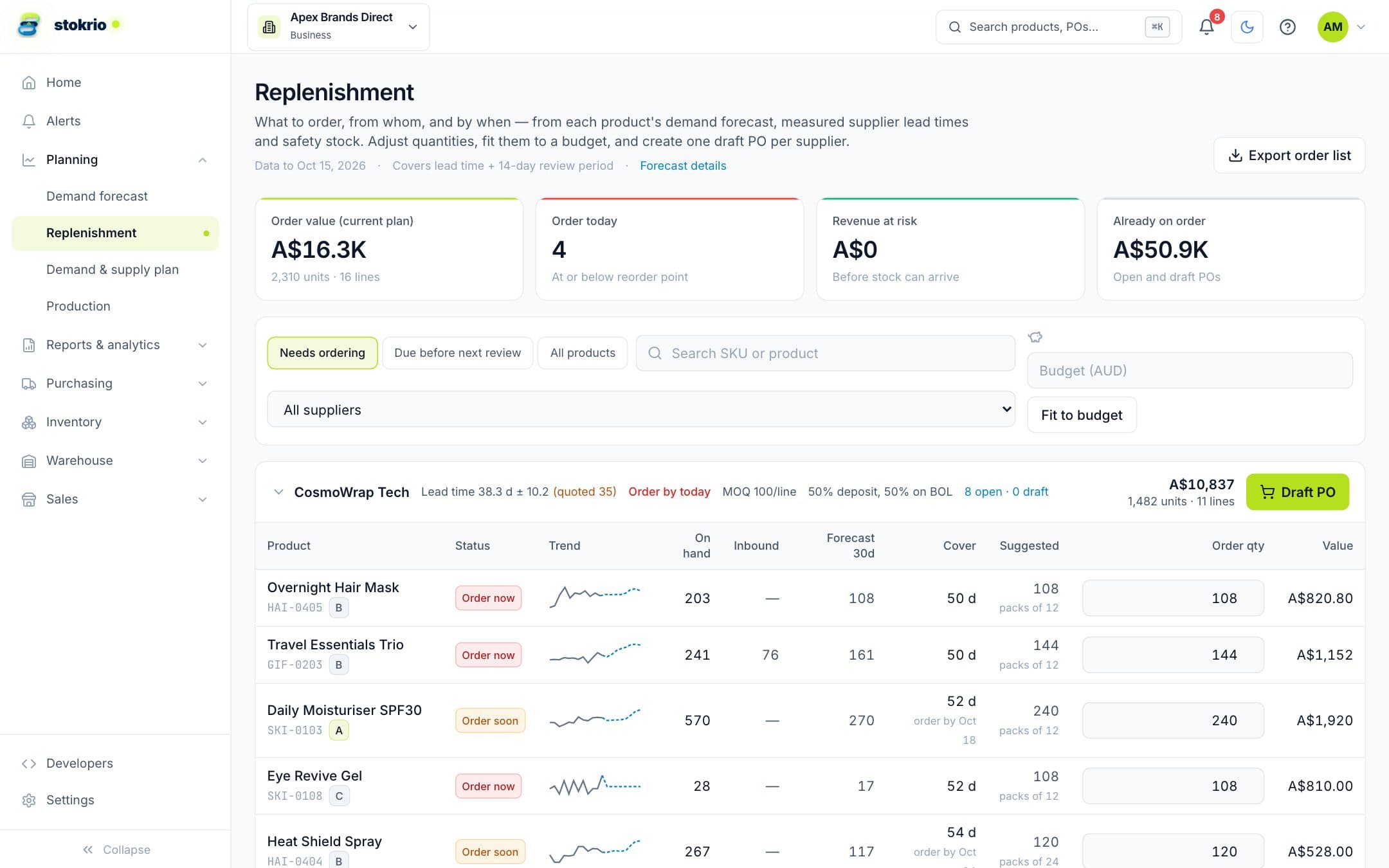
How replenishment & reorder planning works
Stokrio calculates a reorder point and order-up-to level for each product from its demand forecast, lead-time variability and target service level (higher for A-class products), rounds to MOQs and case packs, shows the order-by date and revenue at risk, and turns the selection into draft purchase orders per supplier.
- Statistical safety stock
- Covers both demand and lead-time variability at your service level. A-class products get more protection, C-class less.
- Measured lead times
- Lead times come from your own received purchase orders, shown next to what the supplier quoted.
- MOQs and case packs
- Suggestions are rounded to minimum order quantities and carton sizes, and edits are checked against them.
- Fit to budget
- Enter an open-to-buy budget and Stokrio funds the products most likely to stock out first.
- Order-by dates and revenue at risk
- See when each order must be placed and how much revenue a late order would cost.
- One-click purchase orders
- Selected lines become draft purchase orders, one per supplier.
Frequently asked questions
How is safety stock calculated?
What if I have a fixed purchasing budget?
Are bundles and kits handled?
Works with
Demand forecasting
Per-product demand forecasts for Shopify brands: 12 statistical models compete on each SKU's own history, stockouts are treated as missing demand, and seasonality is detected automatically.
Learn morePurchase orders & receiving
Create purchase orders from reorder suggestions, email them to suppliers with a CSV, receive in full or in parts with lot and expiry details, and see deliveries on a 12-week calendar.
Learn moreRaw-material planning & production
Plan raw materials from finished-goods demand: bills of materials with batch sizes, scrap and sub-assemblies turn sales forecasts into material requirements, reorder dates and work orders.
Learn moreScreenshots use illustrative demo data, not customer results.
See Stokrio with your own data
Create a workspace in minutes. Connect Shopify or start with the API.